
Need service? Call (888) 912-6684
Smart Filter Monitoring by Spray Booth Services
Panels and specs

Don't guess how your booth filters are doing.

The MS125 and MS225 panels fit all makes of spray booth. They watch each filter bank and alert your chosen people by email when filters need attention.

The monitoring panel kit: panel, instructions and fittings

Questions worth asking

  • How much time and money goes into buffing and rework?
  • How much longer do jobs take when airflow is poor?
  • How much is spent on filters changed before they need it?

What the panel does

  • Lets you know when filters are loading up, for cleaner finishes.
  • Emails the contacts you choose when a filter needs attention.
  • Keeps an eye on airflow through the booth filters.
  • Works for a single shop or a national operation with hundreds of locations, all from one sign-in.

What happens when an issue is detected?
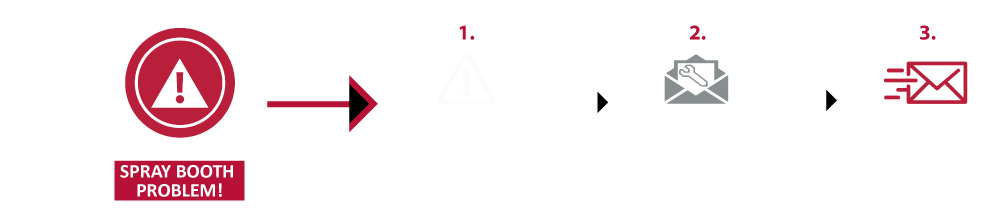
  1. The panel sees a filter reach an alert level.
  2. The portal checks the reading against the levels set for that filter.
  3. Your contacts get an email, with a reminder the next day if the filter is still at an alert level.

Technical data

MS125 and MS225 compared
Feature Standard monitoring system
MS125
Advanced monitoring system
MS225
Wireless transmissionYesYes
Length of power cords4.5′4.5′
Interface panel dimensions8.2″ L × 9″ × 3.5″ W8.2″ L × 9″ × 3.5″ W
Sensor panel dimensions13″ L × 13.5″ × 4.25″ W13″ L × 13.5″ × 4.25″ W
Items monitored
  • Burner filters
  • Ceiling filters
  • Exhaust filters
  • Secondary exhaust filters
  • Burner filters
  • Ceiling filters
  • Exhaust filters
  • Secondary exhaust filters
  • Flame signal
  • Motor sensor

Every system includes

  • Monitoring panel
  • Cellular connection
  • Wireless sensing devices for the items monitored
  • Online dashboard with history and reports

Correct airflow helps your booth run efficiently and protects your finish quality.

Ready to see it working?

Book a demo, or call 1-888-91-BOOTH.

Call Book a demo (opens in a new tab)

What do these numbers mean?

Inches of water column (in. w.c.)

Each sensor measures the air pressure difference across a filter, in inches of water column. A clean filter lets air through easily, so the number is low. As a filter loads with overspray and dust, air has a harder time getting through and the number rises.

New filters usually read about 0.08–0.10 in. w.c.

The three levels

The exact alert points are set for each filter type in your account, so a filter's status can change slightly before or after these numbers. The status shown on each filter is the one your account uses.

What an alert email means

When a filter stays at an alert level for a while (about 10 minutes of readings), the system emails the contacts on file for that location. You get one email per alert rather than repeats every few minutes. If the filter is still at an alert level the next day, you may get a reminder.

What to do

  1. Check which booth and filter need attention on the location page.
  2. Order replacement filters, or ask us to schedule a filter change.
  3. After the change, the reading should drop back near the new-filter range within a report or two.

Questions? Call (888) 912-6684.

Help center

Something wrong or an idea?

Tell us what happened or what would help. This opens an email in your mail app; nothing is sent until you send it there.

Please don't include passwords.